A Stitchist guide
Create embroidery lettering and monograms
Use Stitchist's Text wizard to create names or monograms as editable embroidery objects. Choose an included satin or fill font, set a practical letter size, inspect spacing and preview the stitches. Included font libraries are available free; uploading a custom TTF or OTF requires Pro.
Start digitizing freeFree drawing tools and PES / DST export. One free Auto Digitize creation.
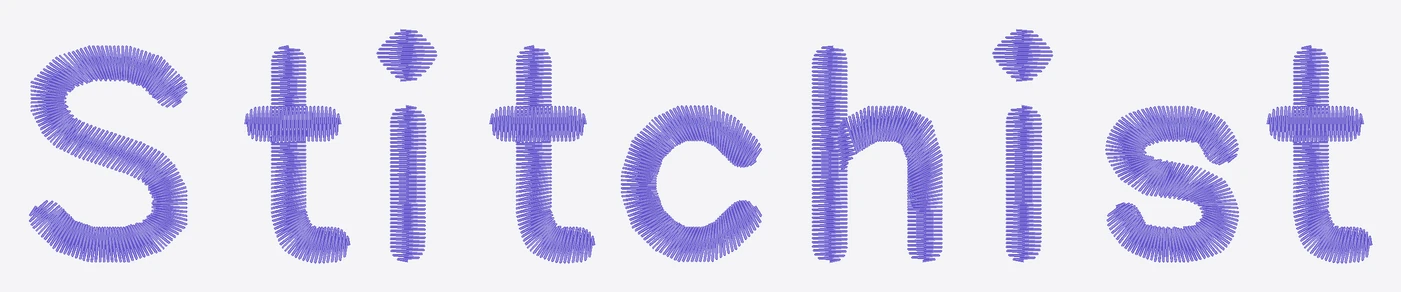
Choose a font for the finished size
A letter that looks elegant in print may have very narrow strokes, tiny counters or sharp serifs. Compare fonts at the actual embroidery height, not only at enlarged preview size.
Stitchist includes 32 satin fonts and 26 bundled fill lettering fonts. The Text wizard provides name and monogram layouts so you can start with a useful arrangement rather than placing each letter from scratch.
Inspect the whole word
Check spacing between letters, enclosed holes and dots on lowercase letters. A font can work well for one name and poorly for another combination at the same height.
Satin lettering needs coherent columns and turns; broad shapes may be better as fill. Do not solve a narrow, crowded word only by stretching its machine stitches afterward.
Keep lettering editable
Create the objects and inspect them in Studio. If a name changes, regenerate the lettering from text instead of trying to infer editable letters from an exported machine file.
For a monogram, review the intended order and relative sizes of the initials before exporting. Then check how detached elements and thread travel appear in the sewing sequence.
Test the combination of font, size and material
Small lettering is sensitive to thread, fabric and stabilizer. Sew a sample using the final size. A successful test of a large name does not establish that the same font will work at a much smaller height.
Common questions
Can I use my own font?
Do the letters remain editable?
Put it into practice
Free drawing tools and PES / DST export. One free Auto Digitize creation.
Start digitizing free →Compare Free and Pro