Pro Auto-digitize, Redwork, 8 machine formats & vector export Explore Pro →

Nothing to install · free embroidery digitizing software in your browser

Art goes in.
Stitches come out.

Stitchist is free embroidery digitizing software, and it is a complete studio: draw shapes, type with any font, auto-trace logos, simulate every needle penetration, and export machine-ready files that sew out flawlessly.

Free forever · no card required · no account until you save

  • 47 formats read
  • 8 formats written
  • Brother · Tajima · Janome · Melco · Pfaff · Barudan
⚡ One-time purchase · $50 once

Stitchist Pro: Built for High-Volume Digitizing

Everything in the free tier, plus professional automation tools that pay for themselves on your first stitch-out.

$50 / forever
Upgrade to Pro →

1-Click Auto-Digitize

Drop any PNG, JPG or artwork. Color regions, counter holes, and satin directions generate automatically.

Redwork Line Art Tracer

Trace clean single-color continuous running stitches with automated path ordering and tie-ins.

13 Decorative Patterns

Authentic Tatami, Basketweave, Herringbone, Chevron, Ripple, and Twill stitch fills.

All 8 Formats & Bundles

Export PES, DST, JEF, EXP, VP3, U01, PEC, and XXX with multi-size recomputed density.

The Stitchist studio: a two-shape design on the canvas with the object, sequence and thread panels open
Export
PES · DST · JEF · EXP · VP3 · +3 more
Lettering
33 satin fonts · custom uploads with Pro
Resizing
Stitches regenerated, not scaled
Every colour matched to a real Isacord or Madeira spool
01

The toolkit

Professional digitizing, without the professional learning curve.

Draw from nothing or start from art you already have. Stitchist works out the underlay, the density, the pull compensation and the trims — you stay on the design.

Explore Native Stitch Types

Click below to inspect how each stitch behaves on the fabric before you sew.

Two-Rail Satin Columns

Two distinct boundary rails steer the stitch direction smoothly around curves. Includes automatic mitred corners, travel passes, and density underlay.

Rails ModeAuto-MitreUnderlay: Zigzag/Edge
A satin column stitched out: two rails, stitches crossing the width, mitred at the turns

Density-Compensated Tatami Fill

Clean parallel stitch passes with configurable stitch length, fill angle, and row spacing. Built-in push-pull compensation stops puckering on elastic fabrics.

Spacing: 0.4mmLength: 4.0mmUnderlay: Lattice
A tatami fill stitched out at a 38 degree angle, rows staggered so no seam runs through it

Triple-Pass Bean Stitch

Forward-backward-forward sewing produces a pronounced, raised thread line ideal for bold outlines, fine detail definition, and vintage patch work.

3 Passes per StrideBold AccentHigh Durability
A bean stitch line stitched out: three passes over the same path, raised and bold

Tonal Gradient Fills

Seamlessly transitions stitch row spacing from tight saturation to airy coverage, allowing genuine light-to-dark shading with a single spool of thread.

Pro ExclusiveSingle-Spool ShadingCustom Curves
A gradient fill stitched out, dense rows at one edge opening out to airy rows at the other

13 Authentic Decorative Fill Textures

Replayed stitch-for-stitch from the leading commercial embroidery machine algorithms. Includes Basketweave, Herringbone, Chevron, Waves, and Sand patterns.

Pro ExclusiveCommercial Quality13 Textures
The basketweave fill pattern: needle penetrations arranged into a woven basket motif
  1. 01

    Satin that behaves

    Border and fill satin, two-rail columns, mitred corners, angle guides, and underlay chosen per shape.

  2. 02

    Click-to-stitch

    Place every needle penetration by hand when you want absolute control — each node sews exactly where you put it.

  3. 03

    Lossless stitch-file import

    Open a DST, PES, JEF, EXP or VP3, edit it, write it back — every stitch survives as an editable object.

  4. 04

    Realistic preview & simulator

    Lit thread with real satin sheen and depth, plus a scrubbable sew-out you can walk penetration by penetration.

  5. 05

    Machine safety, built in

    Short-stitch removal, min/max conditioning, colour-block merging, tie-ins, trims and a basting frame.

  6. 06

    Real thread matching

    Colours matched to actual Isacord and Madeira spools in perceptual Lab space, printed on the chart with the design.

  7. 07

    Hoop-aware sizing

    Work in real millimetres against your hoop, its boundary drawn on the canvas and an overflow warning at export.

  8. 08

    Trace over your own art

    Drop a reference image behind the canvas, fade it to any opacity, and draw your shapes straight over the top.

  9. 09

    RedworkPro

    Dark-on-light line art becomes a clean single-colour running stitch, centrelines traced and ordered automatically.

  10. 10

    SVG importPro

    Artwork from Illustrator, Inkscape or Affinity lands as editable objects — nested transforms and even-odd holes resolved exactly as the stitcher sees them.

  11. 11

    Custom font uploadsPro

    Upload licensed TTF or OTF fonts in either Text wizard tab. Generate editable satin columns or fill lettering; your uploads stay private to your account.

  12. 12

    Magic wandPro

    Click any solid area of your reference image and it becomes an editable fill shape, instantly.

  13. 13

    Gradient fillsPro

    Row density fades across the shape for shading and depth — one thread, a real tonal range.

  14. 14

    The full pattern libraryPro

    All 13 decorative fill patterns — five replayed stitch-for-stitch from the vendor originals, eight drawn in-house — plus blanket and zigzag lines.

  15. 15

    Every machine formatPro

    PES, DST, JEF, EXP, VP3, U01, PEC and XXX, with colour charts, thread matches and printable instructions.

  16. 16

    Projects that save themselvesPro

    Free accounts keep three cloud projects; Pro lifts the cap and adds background auto-save and version history you can browse and restore.

  17. 17

    Printable worksheets

    Every export ships a colour chart, a thread list and step-by-step instructions for the person at the machine.

02

The method

Three moves from idea to hoop.

The same route whether you are drawing a patch from scratch or rescuing a logo somebody emailed you as a JPEG.

01

Draw or import

Sketch with the pen, shape and satin-column tools, type lettering, trace a photo, or hand the whole image to the auto-digitizer.

02

Assign the stitches

Give each shape a running, bean, fill or satin treatment, with the same underlay and density controls the engine sews with.

03

Preview and export

Watch the simulated sew-out, check the design fits the hoop, and write the files your machine takes — each bundle carries a colour chart and the validator's notes.

03

The Text wizard

Your words.
A satin finish.

Names, initials and a personal touch. Choose from 33 included satin fonts, set your text, and bring editable satin columns onto the canvas.

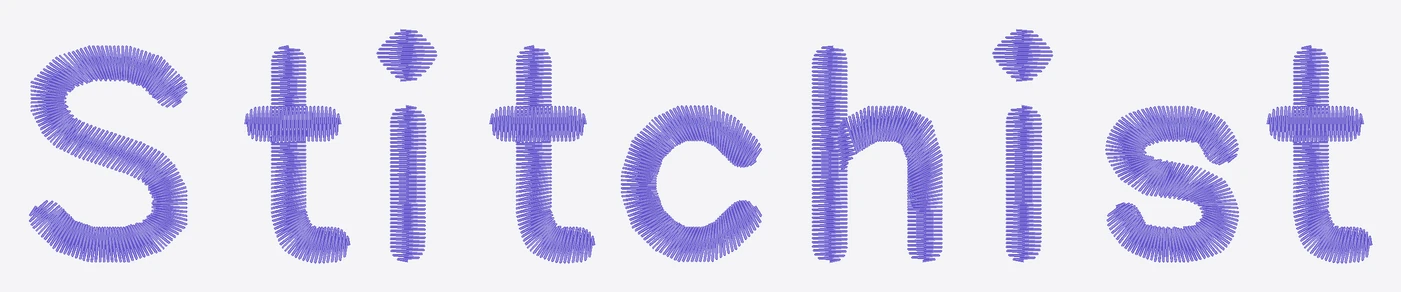
Stitchist in Geneva Simple Sans, showing the generated satin stitch rows
Everyday namesGeneva Simple Sans · 18 mm
AMS satin monogram with a larger central M in DejaVu Serif
A classic monogramDejaVu Serif · 20 mm
Made for you in Amitaclo script, rendered from satin needle paths
A little personalityAmitaclo · 16 mm

Actual generated stitches · 0.34 mm row spacing

Included on every plan

Type it. Preview it.
Make it yours.

The Satin tab builds columns that follow each letter, with consistent row spacing and automatic adjustments for wide strokes and tight turns. Review the stitch paths before adding your text, then edit it again whenever you need.

  • 33 satin fonts, with names and monogram layouts
  • A matching Fill tab with 26 bundled outline fonts
  • Letter spacing, size, colour and underlay controls
Try the Text wizard

In Studio, open Wizards → Text wizard.

Pro

Bring your own typeface.

Upload a TTF or OTF you have licensed. Turn its outlines into satin columns or fill lettering, and keep it in your private font library.

Unlock font uploads with Pro →
04

The price

Free while you learn. One payment when you sell.

No subscription, ever. Pro is bought once and stays on your account, including everything we add later. It comes with priority support and a 14-day money-back guarantee.

Free

The whole editor, forever

$0

no card required

  • Full drawing & lettering studio
  • Text wizard with 33 included satin fonts
  • Realistic preview & sew-out simulator
  • DST + PES export at one size
  • 3 cloud projects
Open Studio

Pro

One-time payment

Everything unlocked, forever

$50 once

no subscription, yours forever

  • Auto-digitize, Redwork & push/pull wizards
  • Upload your own fonts for satin & fill text
  • Magic wand, gradient fills, all 13 patterns
  • All 8 machine formats
  • Unlimited projects, auto-save & history
  • Priority support, answered first

See everything in Pro

14-day money-back guarantee.

Your next design is a stitch file.

Open the studio and draw something. No account needed until you want to keep it.

Start stitching free